Have you been looking for an easy way to transfer photos, wirelessly, from your camera to a smartphone or tablet? Does your camera use SD memory cards? If the answer to both is yes, then this tip is for you. An Eye-Fi card will do this and more. It will even let you shoot with a direct connection between your camera and an iPad.
I followed Terry White's lead and set up my D7000 with an Eye-Fi card in the second slot. The primary card is set up to store raw NEF files. The camera is set up to write basic jpeg images to the second slot. I set up the Eye-Fi card to act as a WiFi hot spot, and I set my iPad to connect to the Eye-Fi. Now, when each device is powered up and "paired", a copy of my most recent shot appears within a second or two as a full-display image on the iPad. It's like being tethered but without the cables.
If you only have one SD card slot, that will work, too. Just use the Eye-Fi card in that slot. The WiFi functionality will be the same.
[Back to the Main Site]
Showing posts with label photo display. Show all posts
Showing posts with label photo display. Show all posts
Tuesday, January 3, 2012
Friday, December 9, 2011
Tip #24: Printing Photos
With the ease of posting images on the Internet, why in world would anyone print a photo? Why would you not print your art to be enjoyed by someone other than your virtual friends?
Where can you get you photos printed? Home printers can produce a small run of images in limited sizes of prints. Large format printers grow expensive and are usually not found in homes. Your camera specialty store will often have the capabilities to print many sizes of photos. Then, there are labs that do custom printing on most any size and quality of paper or other media.
Two popular labs, used by photography pros are Mpix and Bay Photo. I have accounts with both labs. They do quality work and can usually create the final product in a matter of days. Their input systems are color calibrated to the printers and inks that are used to create everything from wallet-sized proofs to wall-hangings to prints on special media, such as coffee mugs, fabrics, and metal.
Don't let all you images drown in a sea of Internet postings. Venture out and get some printed. The results will be admired for years, when they hang on your wall instead of being posted there.
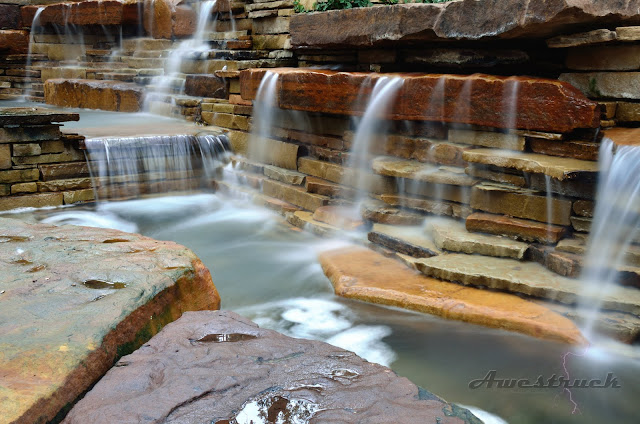
This image, named Mist, hangs in my living room, it is framed in wood and measures 24x36 inches.
[Back to the Main Site]
Where can you get you photos printed? Home printers can produce a small run of images in limited sizes of prints. Large format printers grow expensive and are usually not found in homes. Your camera specialty store will often have the capabilities to print many sizes of photos. Then, there are labs that do custom printing on most any size and quality of paper or other media.
Two popular labs, used by photography pros are Mpix and Bay Photo. I have accounts with both labs. They do quality work and can usually create the final product in a matter of days. Their input systems are color calibrated to the printers and inks that are used to create everything from wallet-sized proofs to wall-hangings to prints on special media, such as coffee mugs, fabrics, and metal.
Don't let all you images drown in a sea of Internet postings. Venture out and get some printed. The results will be admired for years, when they hang on your wall instead of being posted there.
This image, named Mist, hangs in my living room, it is framed in wood and measures 24x36 inches.
[Back to the Main Site]

Monday, December 5, 2011
Tip #20: iPad Camera Connection
When dealing with clients, I soon learned that they usually want instant gratification during or immediately after a shoot. The tool that helps me do this is the Apple iPad.
On a recent event shoot, the client asked, "How soon will I be able to see photos?" Moments before, I had pulled a memory card from the camera and used the iPad Camera Connection Kit to transfer the files from the card to the iPad. I showed the client the results of a few of my selected shots from the day's shoot. The client was thrilled to see large scale images so quickly. About an hour later, I recovered the iPad that had been passed from guest to guest.
Terry White has done a lengthy review of the iPad as a photography workflow tool. A visit to his site is worth the effort.
[Back to the Main Site]
On a recent event shoot, the client asked, "How soon will I be able to see photos?" Moments before, I had pulled a memory card from the camera and used the iPad Camera Connection Kit to transfer the files from the card to the iPad. I showed the client the results of a few of my selected shots from the day's shoot. The client was thrilled to see large scale images so quickly. About an hour later, I recovered the iPad that had been passed from guest to guest.
Terry White has done a lengthy review of the iPad as a photography workflow tool. A visit to his site is worth the effort.
[Back to the Main Site]
Subscribe to:
Posts (Atom)